
The kitchen fitters' schedule, linked to every file.
Installations, removals of the old kitchen, surveys, after-sales jobs, deliveries, shuttles to the store: all your fitters' jobs on a single schedule, with their file one click away. No more spreadsheets and phone calls to find out who is where.
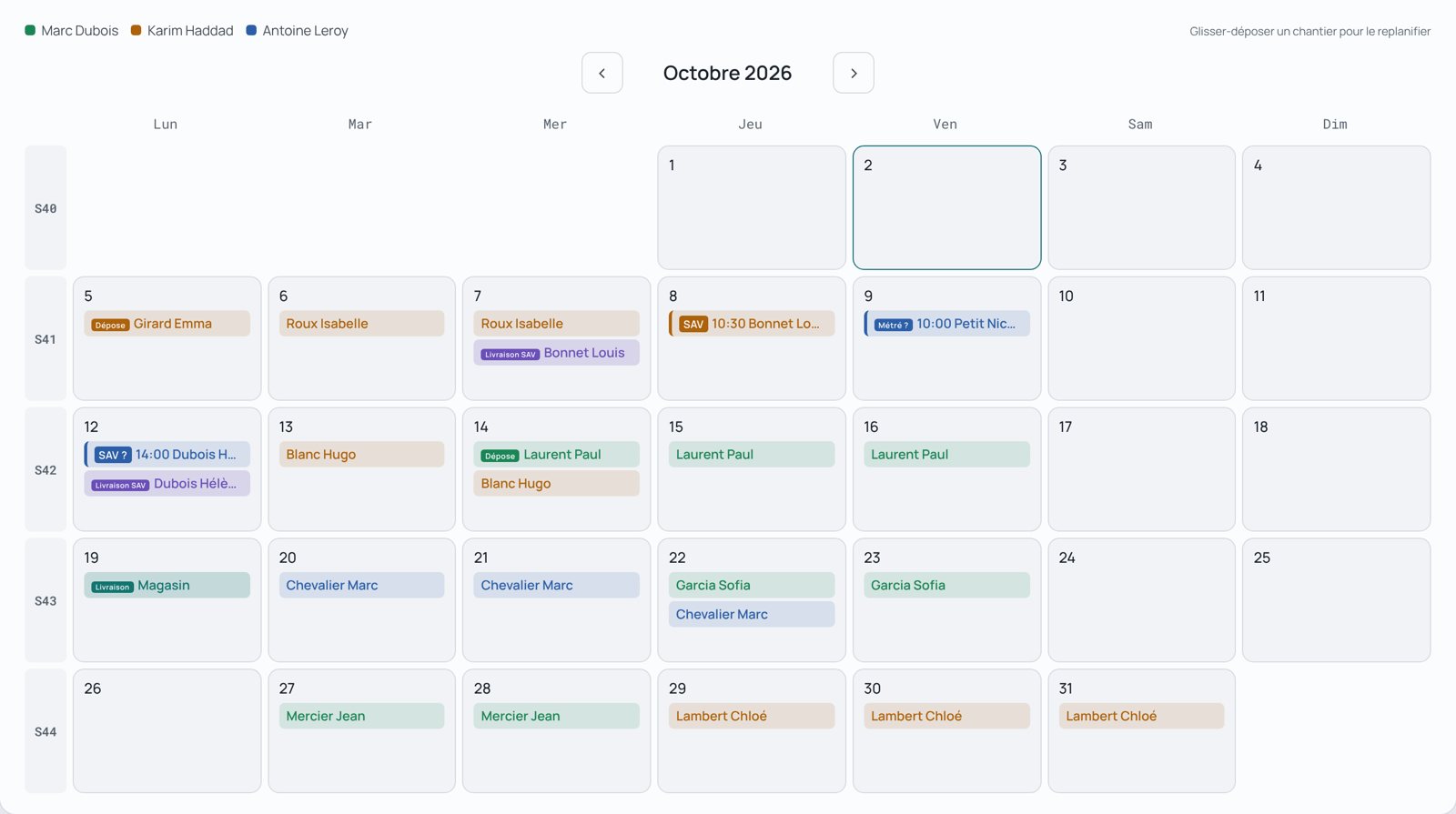
Illustration · fictional data
One schedule, not one per type of work.
Installations and removals
The installation keeps its fitter's colour; the removal of the old kitchen carries its own label. Each fitter receives the instructions specific to the job.
Surveys
A survey is assigned to a fitter, with the plans attached. It comes back with its photos and notes in the file, and the file's survey date is updated.
After-sales
An after-sales job is set to the hour, with its photo of the issue and its parts. It appears on the same schedule, in a separate colour.
Deliveries and shuttles
Kitchen delivery, after-sales delivery to the customer, shuttle to the store: they are planned here and go to the carrier in the delivery note.
Availability
Days when a fitter is already booked are flagged while you move a job, including when they work for another store.
Store collection
When the customer collects their kitchen, the file follows the same route, with no installation to plan. It is tracked like the others.
Reschedule in one gesture, without losing track.
The fitter on their phone
They see their jobs, accept or decline, open the plans, take their end-of-job photos and generate their invoice. Everything goes back to the store.
Frequently asked questions
Does the fitter have to accept every job?
It depends on each fitter's setting, made by Management. A fitter may have to accept or decline their installations from their app, or be exempt from validation: the installation is then planned straight away. Surveys have their own setting.
What happens when an already accepted installation is moved?
Acceptance happens only once. A move does not send the installation back for validation: the fitter is simply told of the new date, and the file keeps its status.
What happens if a fitter is already booked elsewhere?
If the fitter is already busy that day, in your store or at another store they work with, the schedule flags it before you confirm. It does not block: it is up to you to decide with the fitter.
Can I find a job from another month?
Yes. A search by customer name lists all their jobs across all months, and one click opens the right month on the right day.
Does the fitter see the schedule on their phone?
Yes, in the fitter app, with the detail of each job, the address, the fitting instructions and the plans. Access is free for the fitter.
See also: supplier order tracking, all the features, pricing.