Features

What KitchenSync does, in practice.

Alerts that warn you about delays before they happen, a fitters' schedule, an internal diary, and everything else in a kitchen store's day: all sharing the same file.

Alerts

Order delays show up before the installation, not on the day of the installation.

KitchenSync knows the installation date and the lead time of each product family: units, worktop, appliances, accessories, sanitaryware. It warns you when it is time to order, then when a delivery puts the installation at risk.
Kitchen not ordered : a family's ordering deadline has passed and the installation is approaching
Orders to place : the file is ready, but some families have neither an order placed nor a confirmation
Delivery margin too short : less than two weeks between the expected delivery and the installation (red under one week, or if delivery falls after the installation)
Late delivery : grouped by family, with the detail of each item one click away

See the alerts in the demonstration

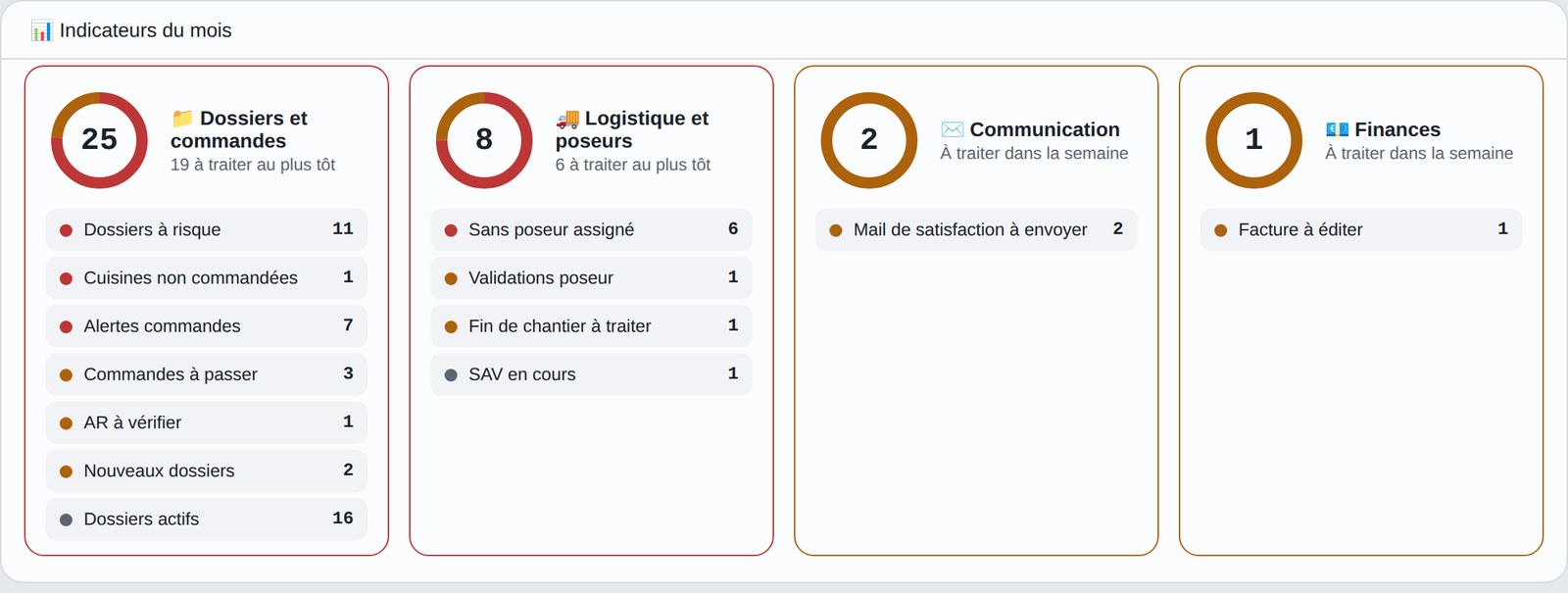
KitchenSync dashboard: the month's indicators, with their colour-coded alerts
The month's indicators for a demonstration store: each colour tells the level of urgency.
Before the order

Installation price and fitting plan missing, acknowledgements to check, files without a fitter, fitter validations pending.

During delivery and installation

Delivery note to send to the carrier, "delivery and installation" email to resend when a date changes, end of job not sent by the fitter.

After the installation

Late after-sales jobs, deposits recorded without an invoice, thank-you email to send to the satisfied customer.

Each alert is clickable: it opens the file concerned directly, or the product family that is late. The dashboard tiles flash gently when there is something to deal with, and everyone sees only what concerns them: management, hostess or salesperson.

Fitters' schedule

All jobs on a single calendar.

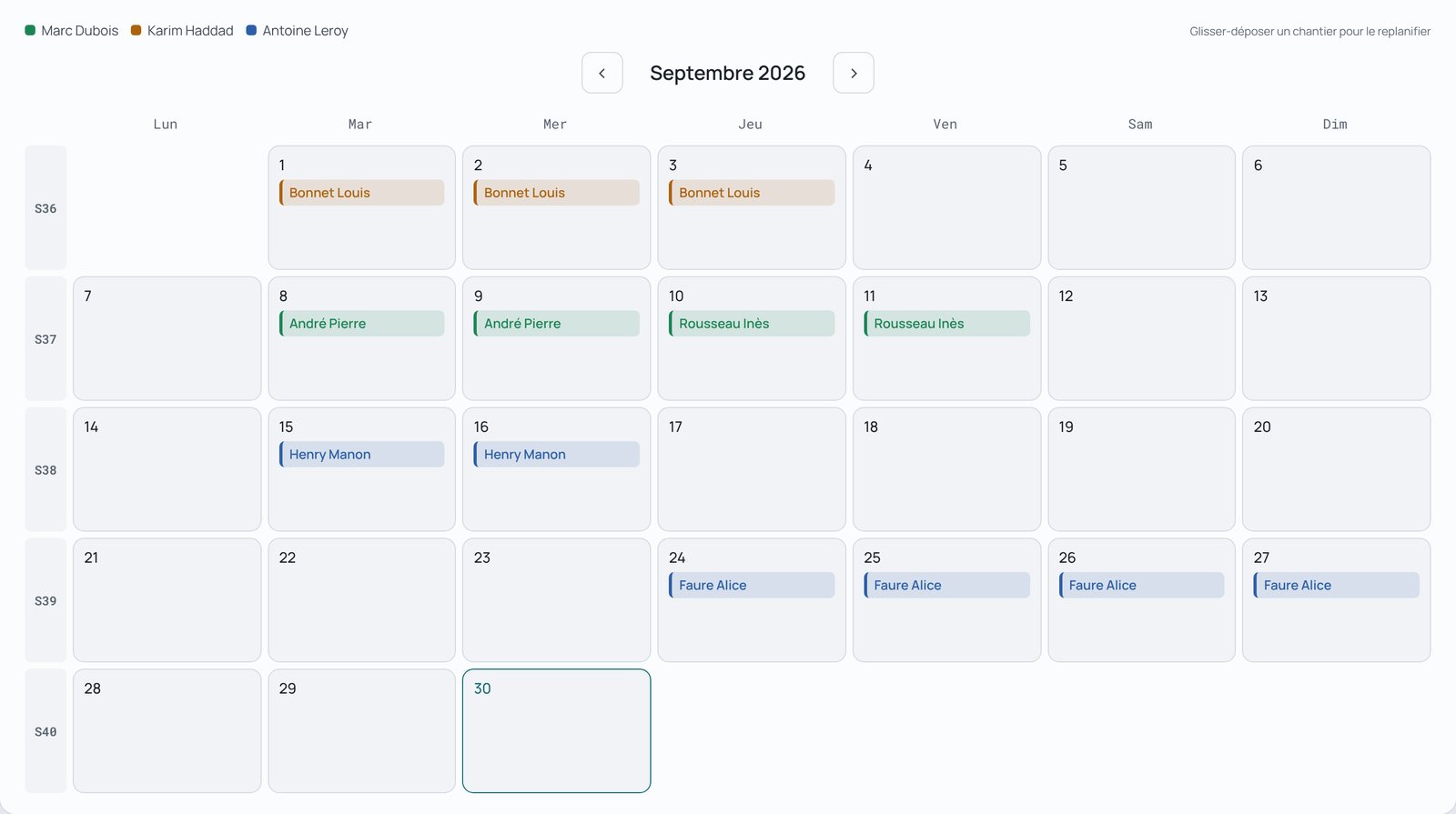
Installations, removals of the old kitchen, deliveries, after-sales to the hour and surveys: the store's schedule shows who is working where and when, with one colour per fitter.

Move with one gesture

Drag an installation to another day, even from one month to the next
Days when the fitter is already booked are flagged during the move, including by another store that employs them
The clash is flagged, never blocked: you keep the decision

Everyone is notified

The fitter is notified when their installation is moved
So is the file's salesperson
The delivery date is requested as soon as a fitter is assigned
Date confirmation by SMS to the customer, optional

One click, the right sheet

Each job opens its own sheet: installation, removal, delivery, after-sales or survey
A search by customer name takes you to the right date, whatever the month
Fitters see everything on their phone

The fitters' schedule in detail

KitchenSync fitters' schedule: a monthly calendar with one colour per fitter
A month's schedule: one colour per fitter, one click opens the job's sheet.

The fitter app

Internal diary

The diary of the whole team's appointments.

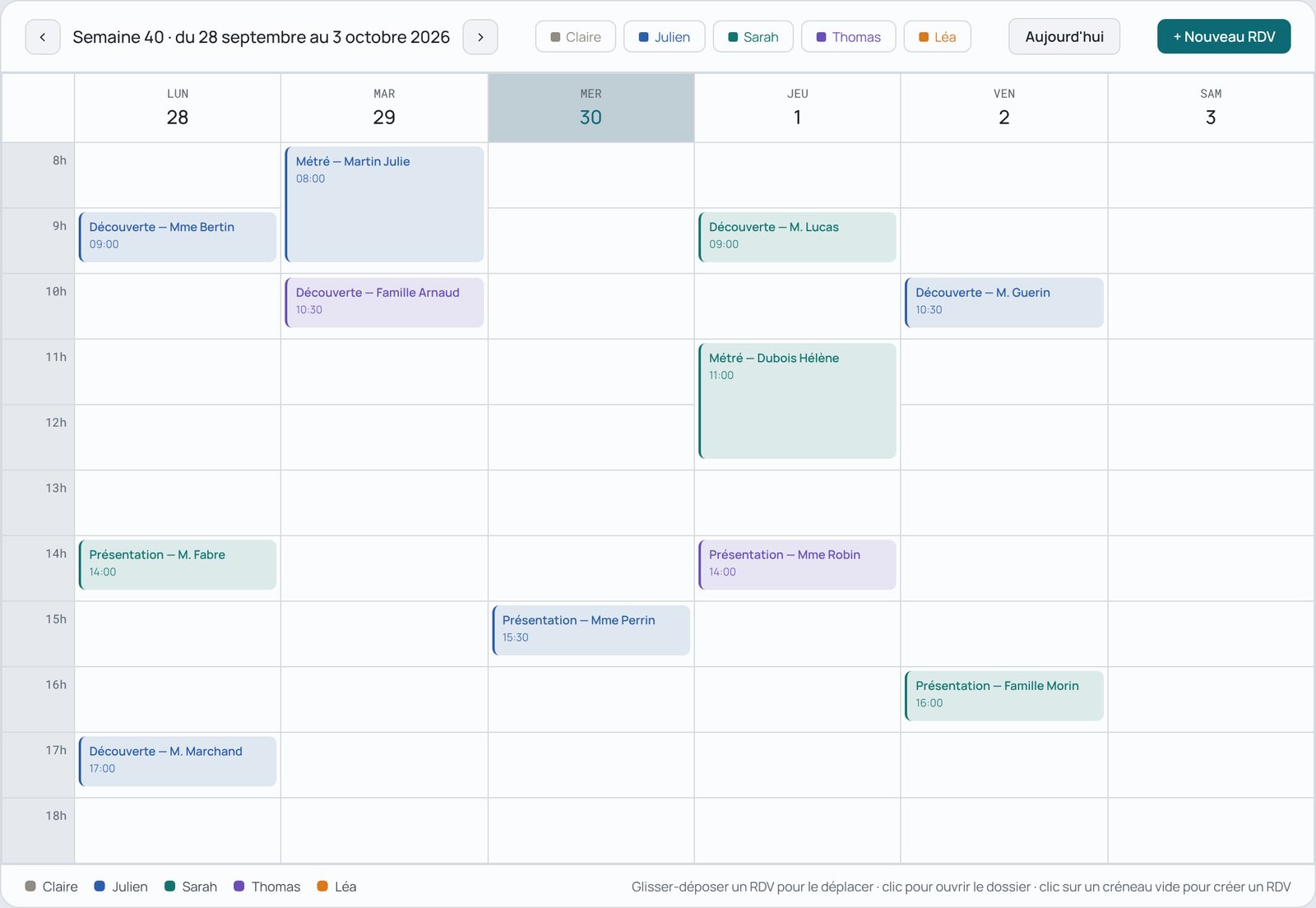
Salespeople and hostesses share an internal diary, with one colour per person. Customer appointments are planned there and moved by dragging.
Discovery (R1), presentation (R2), R3, survey, salesperson follow-up after survey, administrative or other appointments
Adjustable duration, multi-hour appointments clearly visible
A survey planned on a file fills in the survey date on the customer file by itself
Appointments feed the statistics: number of appointments and each salesperson's conversion rate
KitchenSync internal diary: the salespeople's and hostess's week, one colour per person
A shared diary: each salesperson has their colour, surveys and presentations can be dragged from one day to another.
And also

The rest of the daily routine, in the same place.

Automatic statuses and progress

The file moves forward when the work moves forward, not when someone remembers to tick a box.
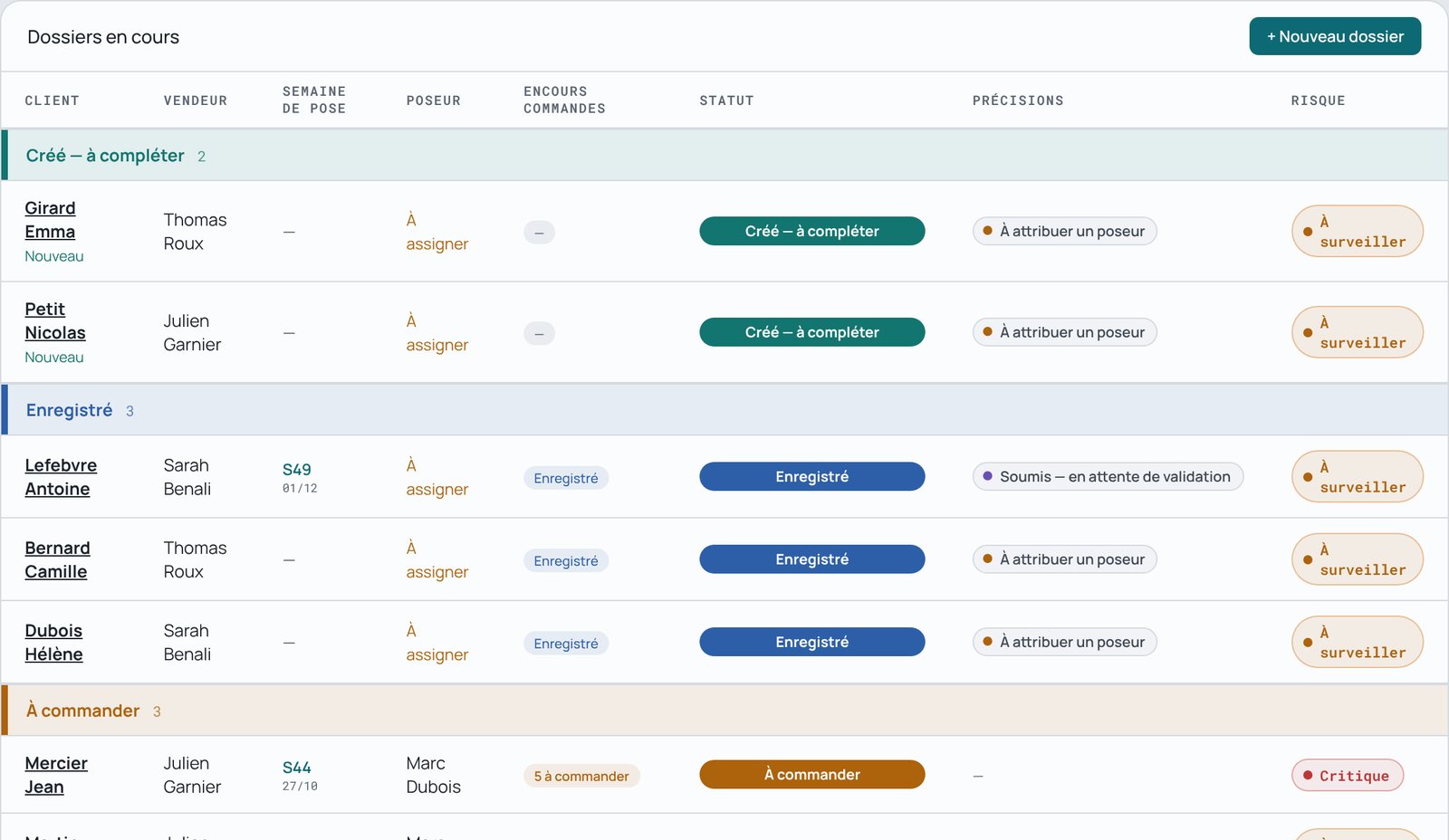
Progress based on the file's real events
No double entry, no forgotten box
Reliable tracking even under pressure, hence reliable alerts
KitchenSync list of files grouped by status, each status with its colour

Supplier orders

Know what is ordered, confirmed and received, family by family. Learn more
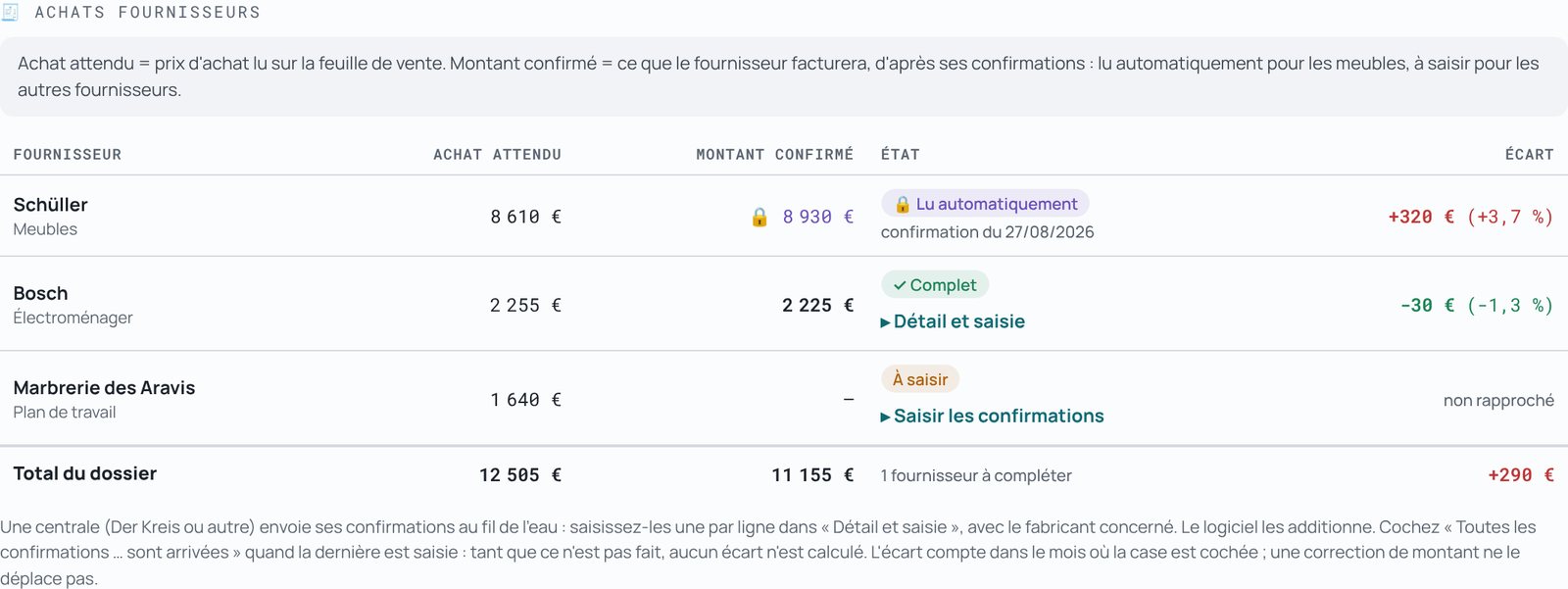
Acknowledgement numbers and delivery dates
Alert before goods are late for the installation
Purchase variance tracked by supplier
A file's supplier purchases table: expected purchase, confirmed amount, variance
A file's order tracking, one colour per product family

Electronic invoicing

The reform is coming: you will be ready, without an IT project.
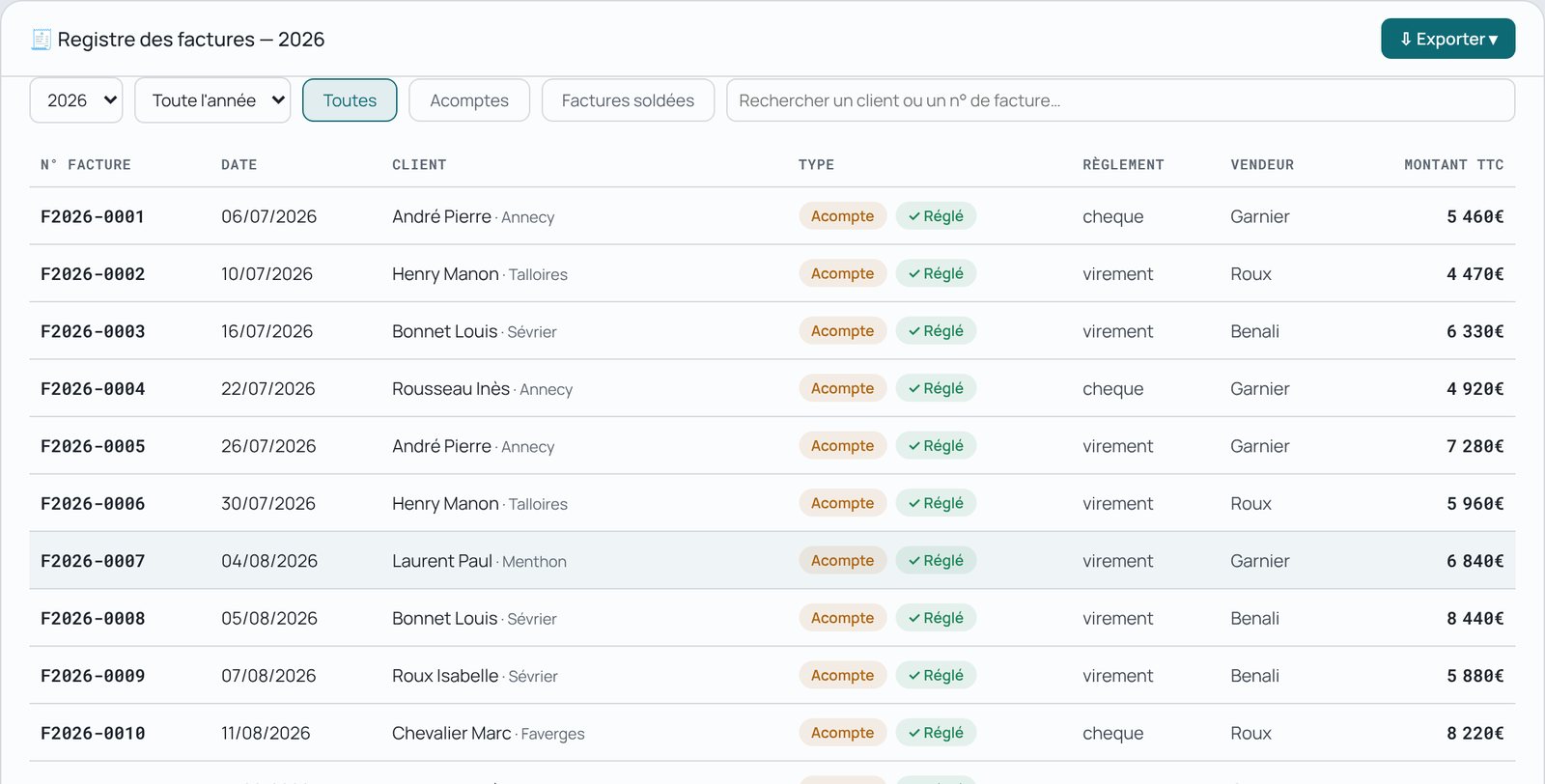
Deposit and final invoices in Factur-X format
Continuous numbering, correct VAT on each line
Receipt of your fitters' invoices
KitchenSync invoice register: deposits paid and settled invoices

After-sales management

At last you know what your after-sales really costs you.
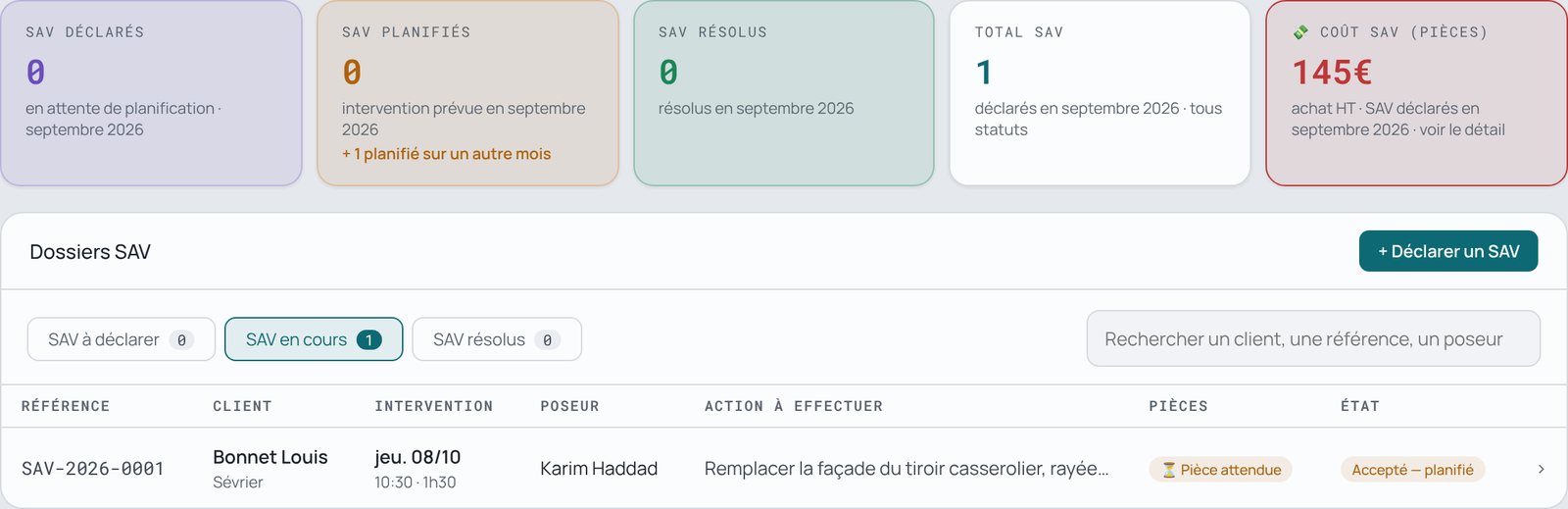
Each job attached to the original file
Photos of the issue, parts to reorder
Cost of parts tracked month by month
After-sales page: the month's tiles and the list of current jobs

Figures, targets and margin variances

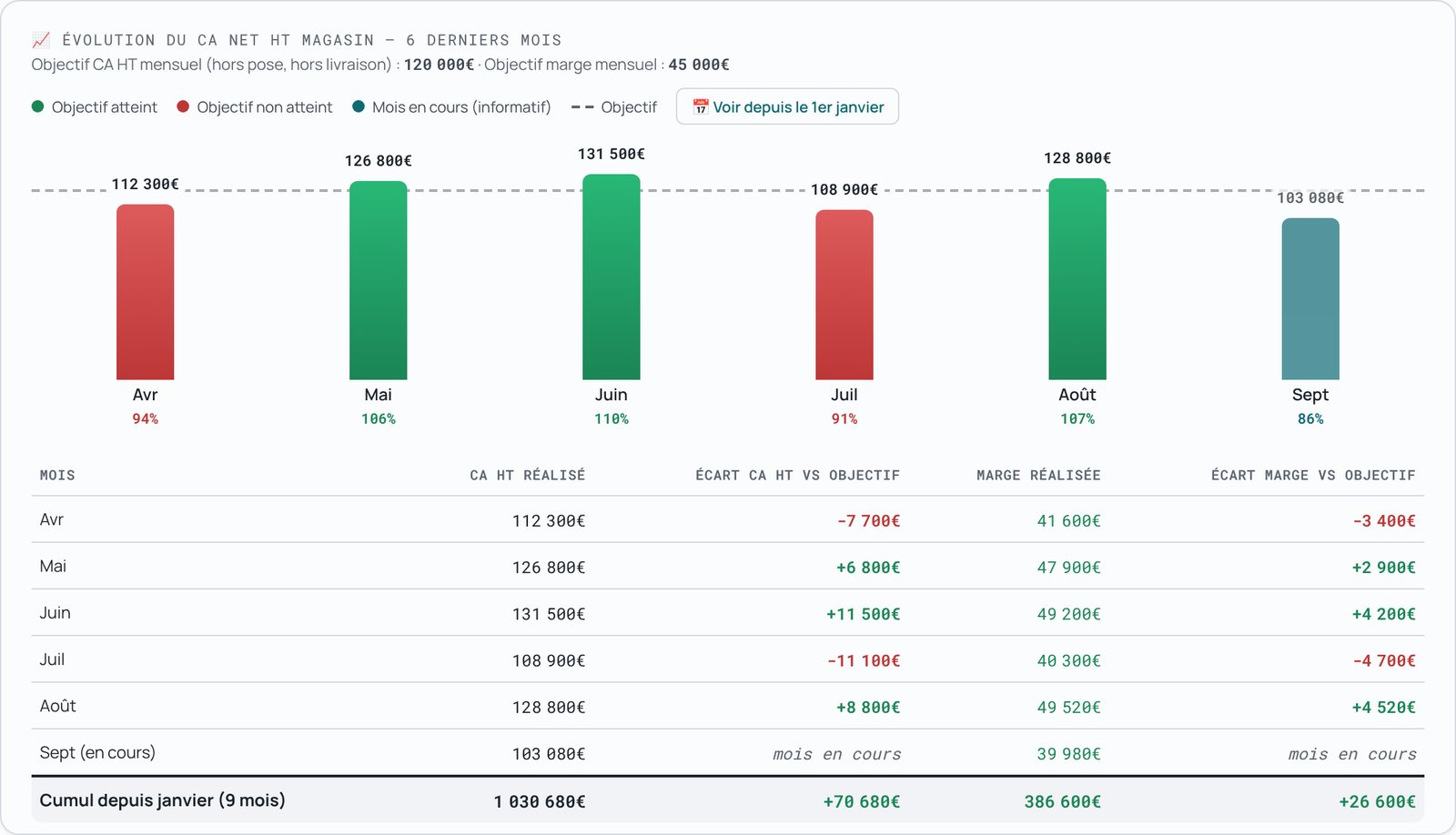
Net revenue excl. VAT and margin, without re-entering them, and the variance against target shown wherever it matters.
Purchase order and sales sheet read automatically
Revenue and margin targets, month by month and cumulative since January
Margin variance against target, for each month and for the year
Purchase variance by supplier : what the supplier invoices, against what the sales sheet had planned
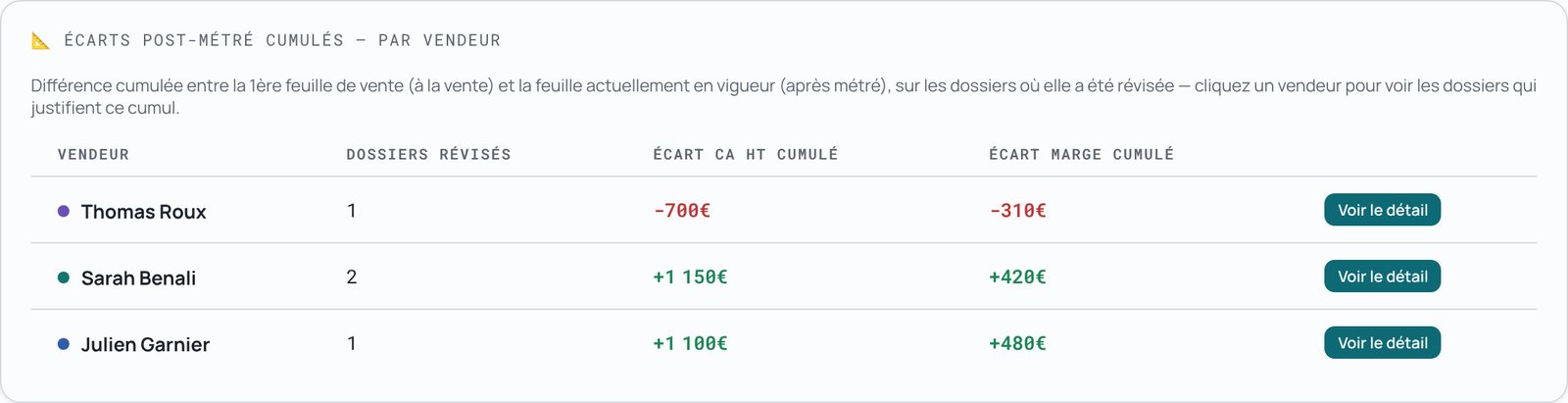
Variances after the survey per salesperson: revenue and margin revised since the sale
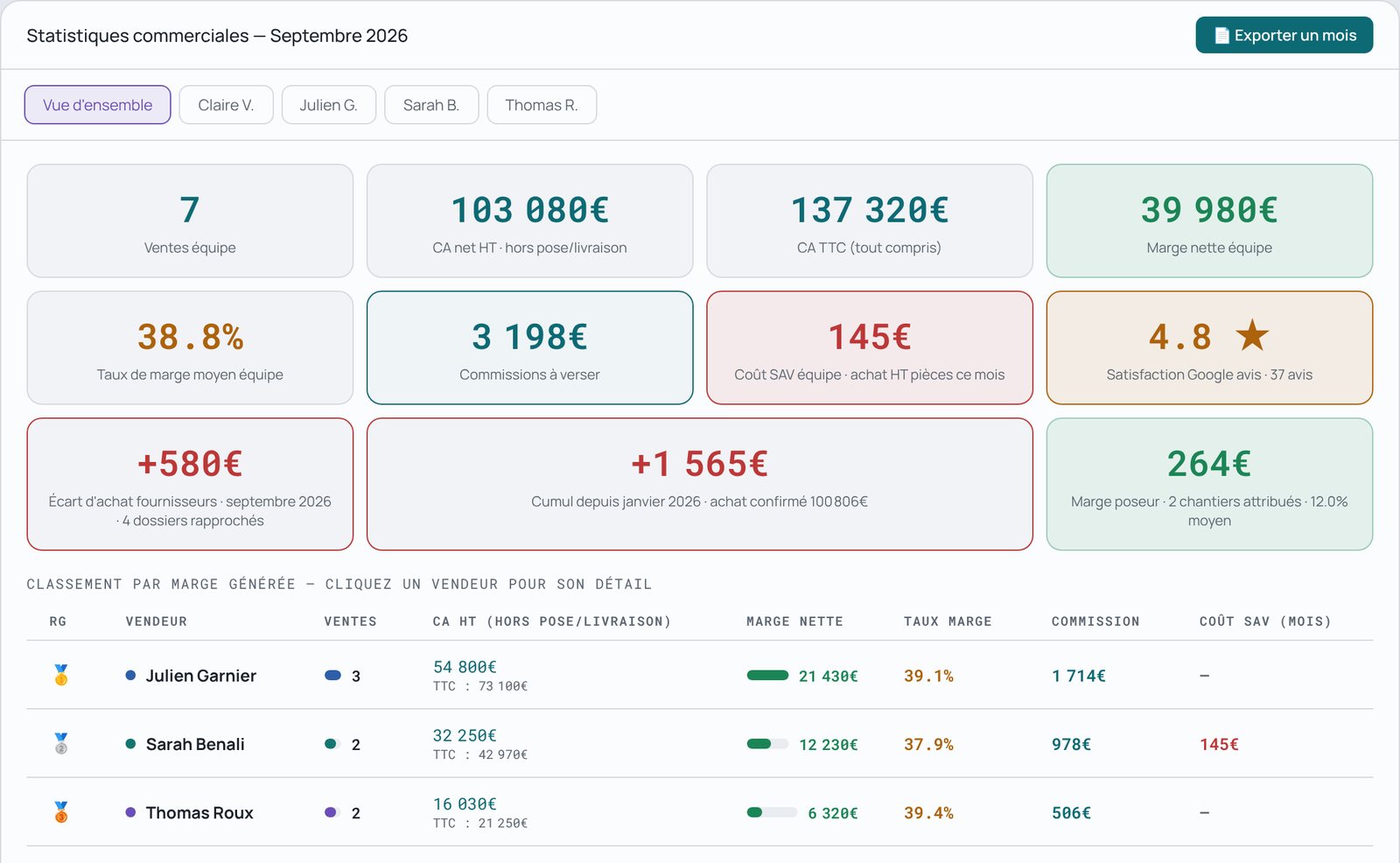
Commissions, performance and ranking per salesperson
Month-by-month navigation, PDF export
Trend in net revenue excl. VAT and margin over six months, with each month's variance against target
Cumulative variances after survey per salesperson: revenue variance and margin variance
Sales statistics: sales, net margin, supplier purchase variance, salesperson ranking

100% paperless, if you wish

Print and have it signed on paper, or sign on screen: each store chooses.

The customer signs the purchase order, plans and perspectives on the salesperson's screen, with a finger on a tablet or a mouse on the PC
Initials and signatures are placed automatically on the PDF, with no area to position
The signed PDF is filed in the customer file, with its proof page: date, time and salesperson present
Simple electronic signature, included in every plan
Your paper habits remain possible: nothing changes until you use the button

Google reviews at the right moment

Ask for the review when the customer is really satisfied.

A banner offers the thank-you email once the job is finished
You send it when you decide
Banner offering to send the thank-you email once the job is finished

Security and data

Each store in a completely separate space.

HTTPS connections, encrypted passwords
Daily backup kept for 30 days
Export of your data and right to erasure (GDPR)

Want to see it on your own business?

Request a demonstration